
Election Commission of India (ECI) has started the 3rd phase of the Special Intensive Revision (SIR) of electoral rolls in 16 States and 3 Union Territories. Earlier, the ECI successfully completed the 2nd phase of the SIR process in 12 States and Union Territories.
Eligible voters can verify and update their voter details through the SIR process. Those who have submitted their SIR Enumeration Form can now check online whether their BLO (Booth Level Officer) has uploaded the form on the ECI portal.
SIR Form 2026 - Track Enumeration Form Verification and BLO Upload Status
STEP 1: Go to the ECI official portal, voters.eci.gov.in
STEP 2: On the homepage, click the "Login" button. If you are already registered, log in using your mobile number or EPIC number, enter the captcha code, and verify with the OTP. If you are not registered, first complete the Sign Up/Registration process and then log in to continue.

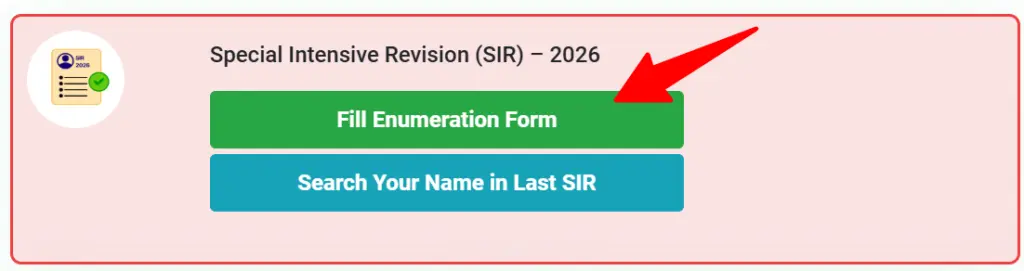
STEP 3: After login successfully, click on "Fill Enumeration Form" and screenshot is shown below.
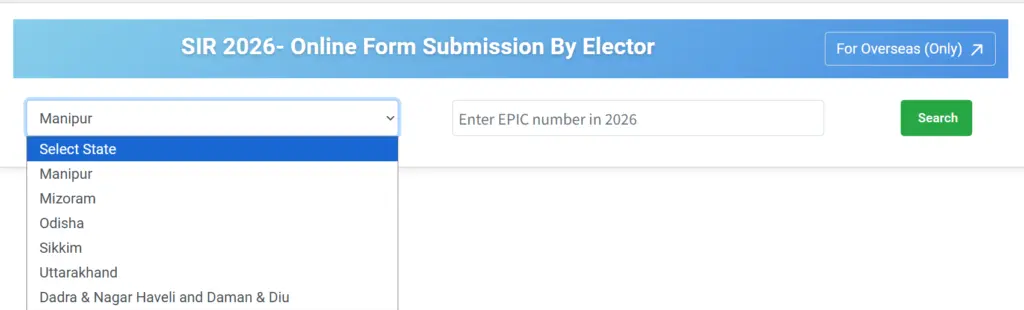
STEP 4: On the next page, select your State, enter your EPIC (Voter ID) Number, and click the "Search" button.
STEP 5: If the BLO, has already uploaded the enumeration form, the screen will display a message stating: "Your Enumeration Form has been submitted successfully as seen in the below image.
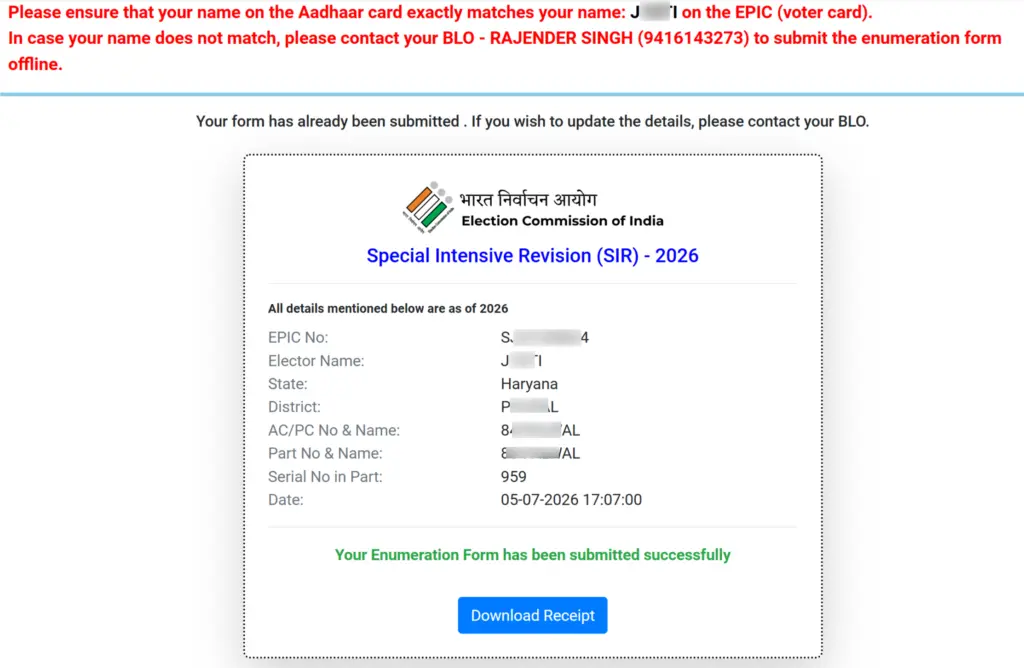
If this confirmation does not appear, the portal will automatically open a blank enumeration form, indicating that the data has not yet been uploaded.
STEP 6: If the BLO has not yet uploaded your SIR form, the pre-filled voter details will be displayed on the screen, as shown in the screenshot below. To submit the SIR form online, enter your registered mobile number, verify it using the OTP received, and proceed with filling the form.

If your mobile number is not linked with Voter ID then you have to fill the Form 8 for correction in Voter ID or link mobile number with Voter ID.
Voters Helpline Number
- Toll Free Number - 1950
- Email ID - [email protected]
