Election commission has announced the SIR 2026 in remaining 16 states and 3 UT's and BLO's (Booth Level Officer) in states ( Haryana, Uttarakhand, Odisha, Mizoram, Sikkim, Manipur) have already started visiting door to door for voter verification and enumeration form filling. A BLO is your local election officer who helps with Voter ID registration, corrections, address changes, and other voter-related services.
If you don't know who their BLO is, and you want to know anything about your voter ID or have any query related to SIR 2026 enumeration form filling, you can find your BLO name and mobile number online in just a few minutes and book an appointment with him/her.
Know Your BLO Name & Mobile Number by Voter ID Number Online (2026)
STEP 1: Go to the official voter service portal voters.eci.gov.in
STEP 2: At the homepage, you will find "Search Your Name in Voter List" as shown in below screenshot.

STEP 3: On the next page, select “Know Your Polling Details.” Then enter your EPIC (Voter ID) number along with the CAPTCHA code, and click on the Search button to view your details.

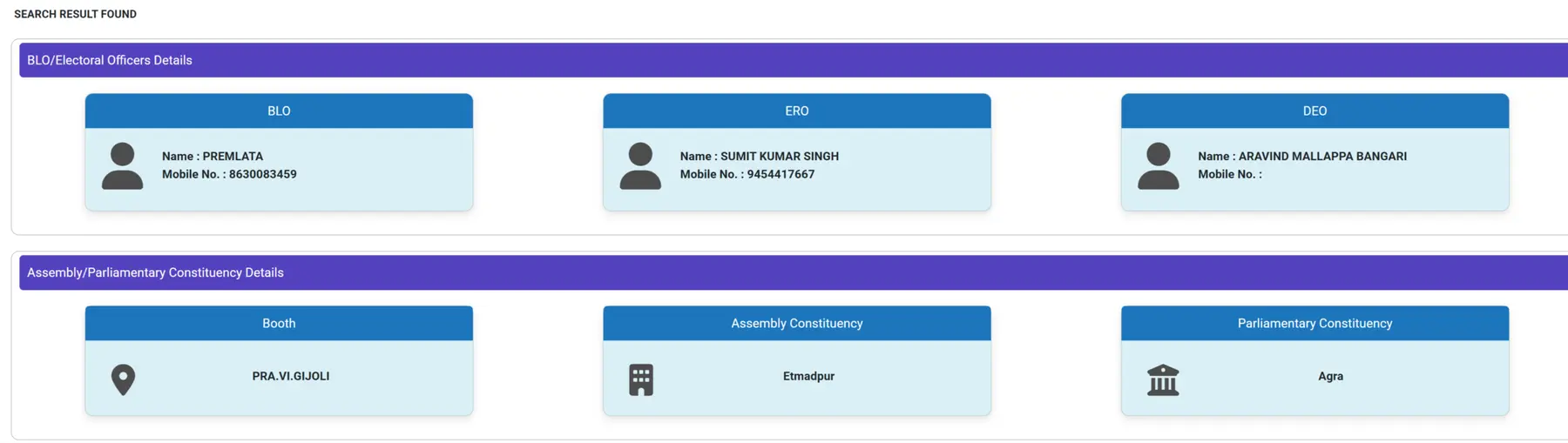
STEP 4: After that your area BLO/ERO/DEO details with mobile number will be displayed as shown below.
Book an Appointment with BLO for Voter ID Address Change, Correction & SIR Form Support
STEP 1: Visit the official ECI website voters.eci.gov.in
STEP 2: On the homepage, you find the link "Book a Call with BLO" as shown in below screenshot.

STEP 3: After that, enter your EPIC number or registered mobile number along with the CAPTCHA code. Then click on the "Request OTP" button. Once you receive the OTP on your mobile phone, enter it and log in successfully to the portal.
STEP 4: Then you have to enter the EPIC number and click on search button as shown below.

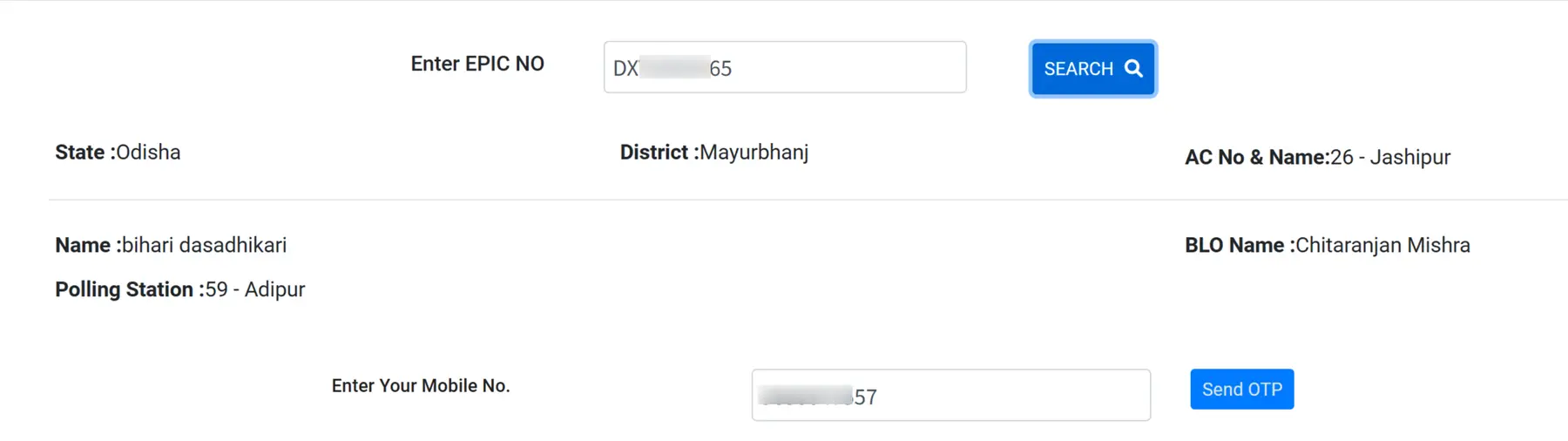
STEP 4: After that, your details such as Name, BLO Name, and Polling Station will be displayed on the screen. Enter your registered mobile number and click on the OTP option. After receiving the OTP, enter it in the required field and submit the request. Your appointment with the BLO of your polling area will be booked successfully, as shown in the image below.