
Election Commission of India (ECI) has officially rolled out the Phase III Special Intensive Revision (SIR) 2026 program across Maharashtra. Booth Level Officers (BLO) home visit process starts from 30 June to 29 July 2026 to verify voters.
Also See - Maharashtra 2002 Voter List PDF
SIR Maharashtra 2026 Dates
| Schedule Event | Date |
|---|---|
| Qualifying Date | 1 October 2026 |
| Preparation, Training & Printing | 20 June 2026 to 29 June 2026 |
| House-to-House Visits by BLOs | 30 June 2026 to 29 July 2026 |
| Rationalization of Polling Stations | By 29 July 2026 |
| Publication of Draft Electoral Roll | 17 August 2026 |
| Claims & Objections Period | 17 August 2026 to 16 September 2026 |
| Notice Phase / Disposal | 17 August 2026 to 15 October 2026 |
| Publication of Final Electoral Roll | 19 October 2026 |
How to Fill Maharashtra SIR Form Online at voters.eci.gov.in
STEP 1: Visit the official ECI website at voters.eci.gov.in
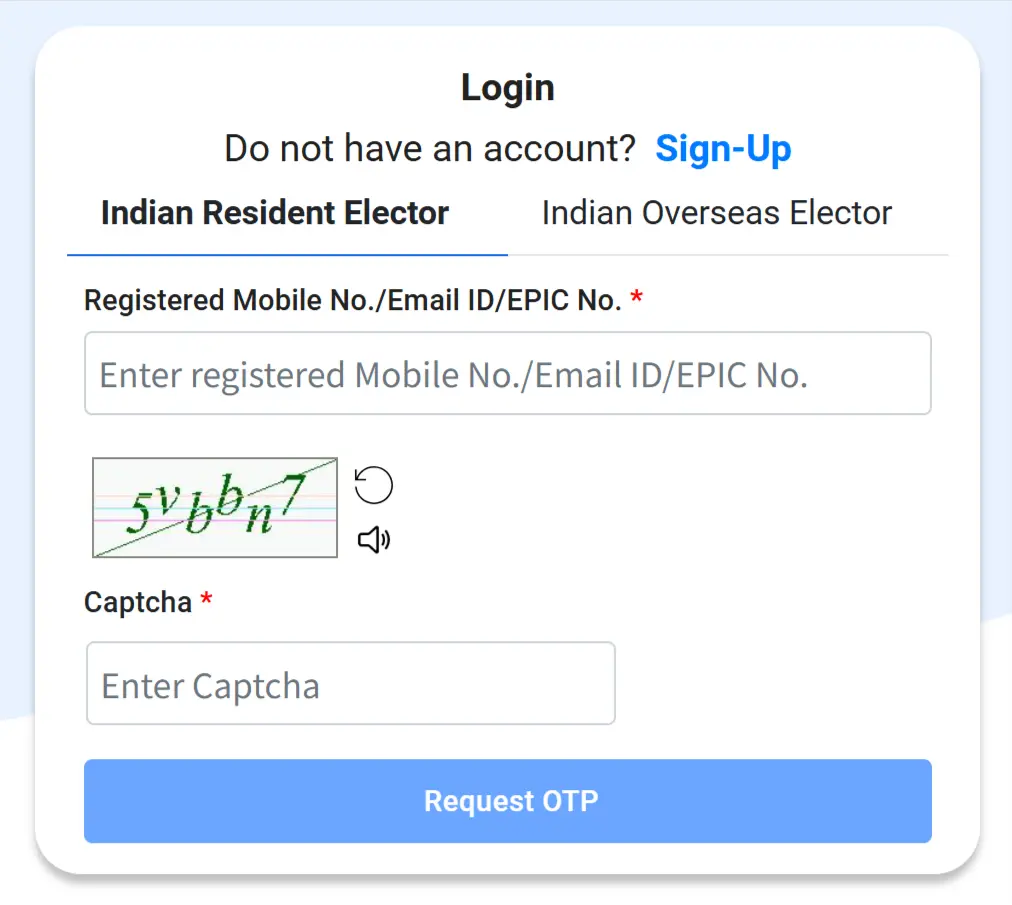
STEP 2: Login (If already Registered) or Sign Up using mobile number on the voters prortal as shown below.
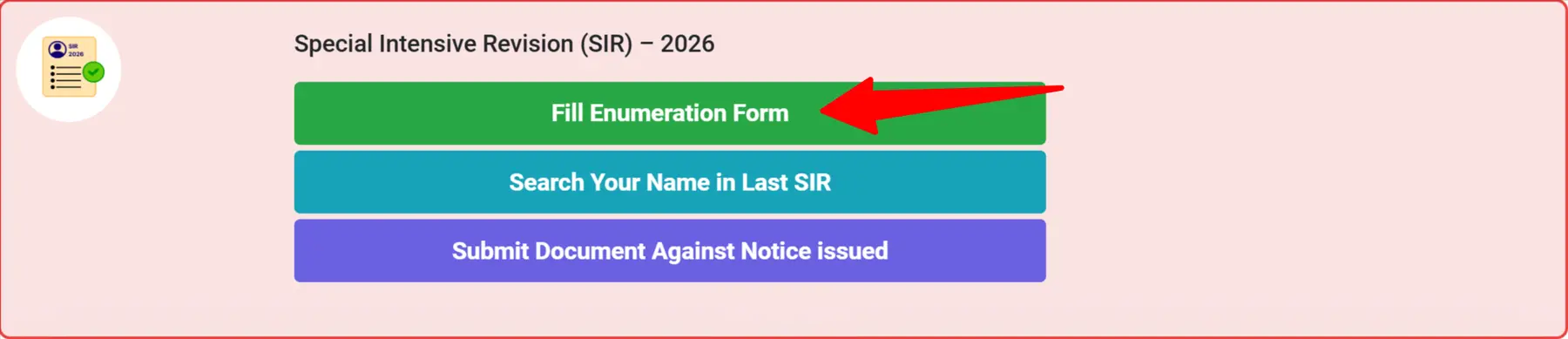
STEP 3: Now next click on "Fill Enumeration Form" on the homepage as shown below image.
STEP 4: Select 'Maharashtra' in state option, enter your EPIC number and click on the search button.
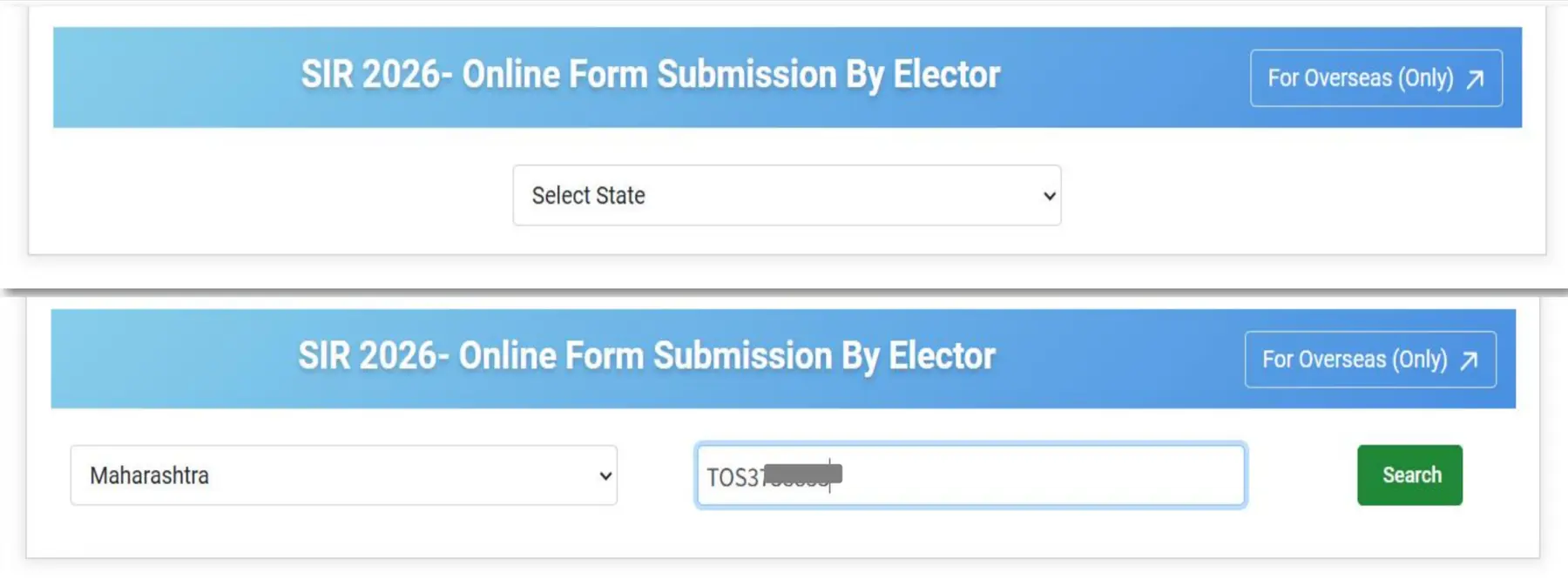
STEP 5: Click the "Search" button, a pre-filled Enumeration Form (EF) will be displayed.
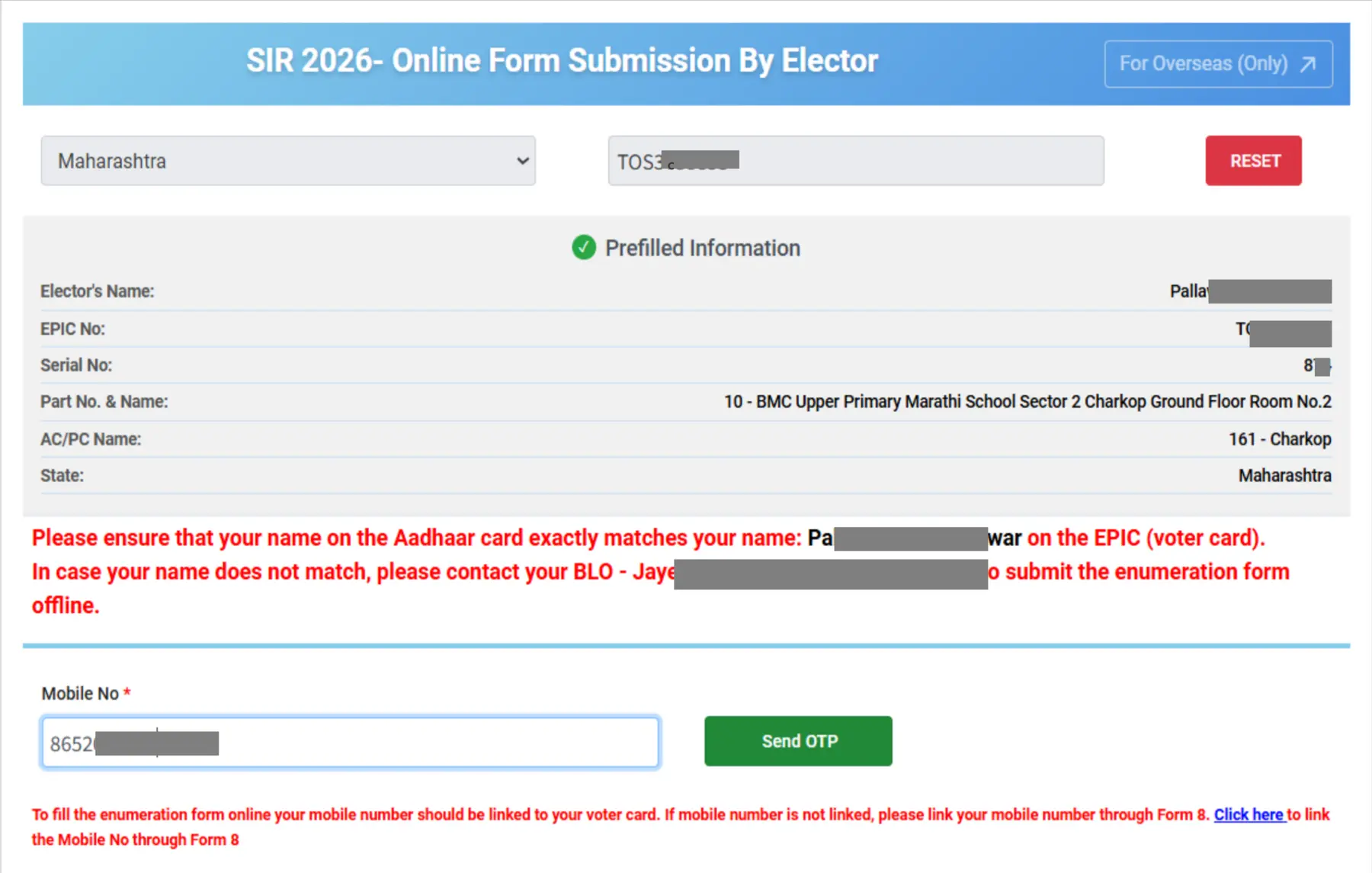
STEP 6: Enter your 10-digit mobile number linked to your EPIC and click the "Send OTP" button.
STEP 7: After verifying the OTP, you will be asked to choose one of the following options:
- Neither my name nor my parent's or grandparent's name is listed in the Electoral Roll of the last SIR.
- My name is listed in the Electoral Roll of the last SIR.
- My parent's or grandparent's name (mother, father, grandfather, or grandmother) is listed in the Electoral Roll of the last SIR.
STEP 8: Map Your Elector Details with the Last SIR. You will be redirected to a page to enter your personal details and your family member's details, as shown below.
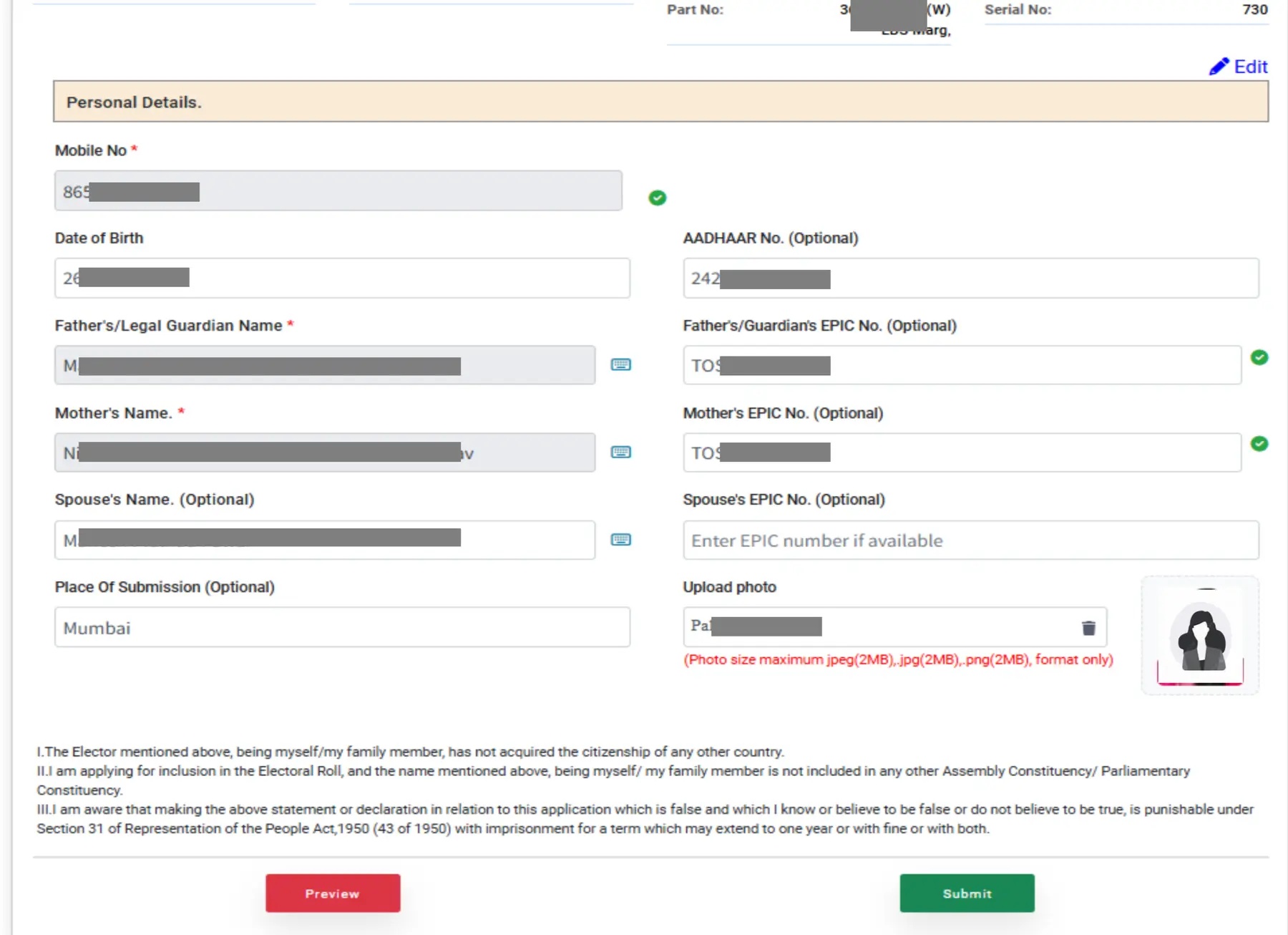
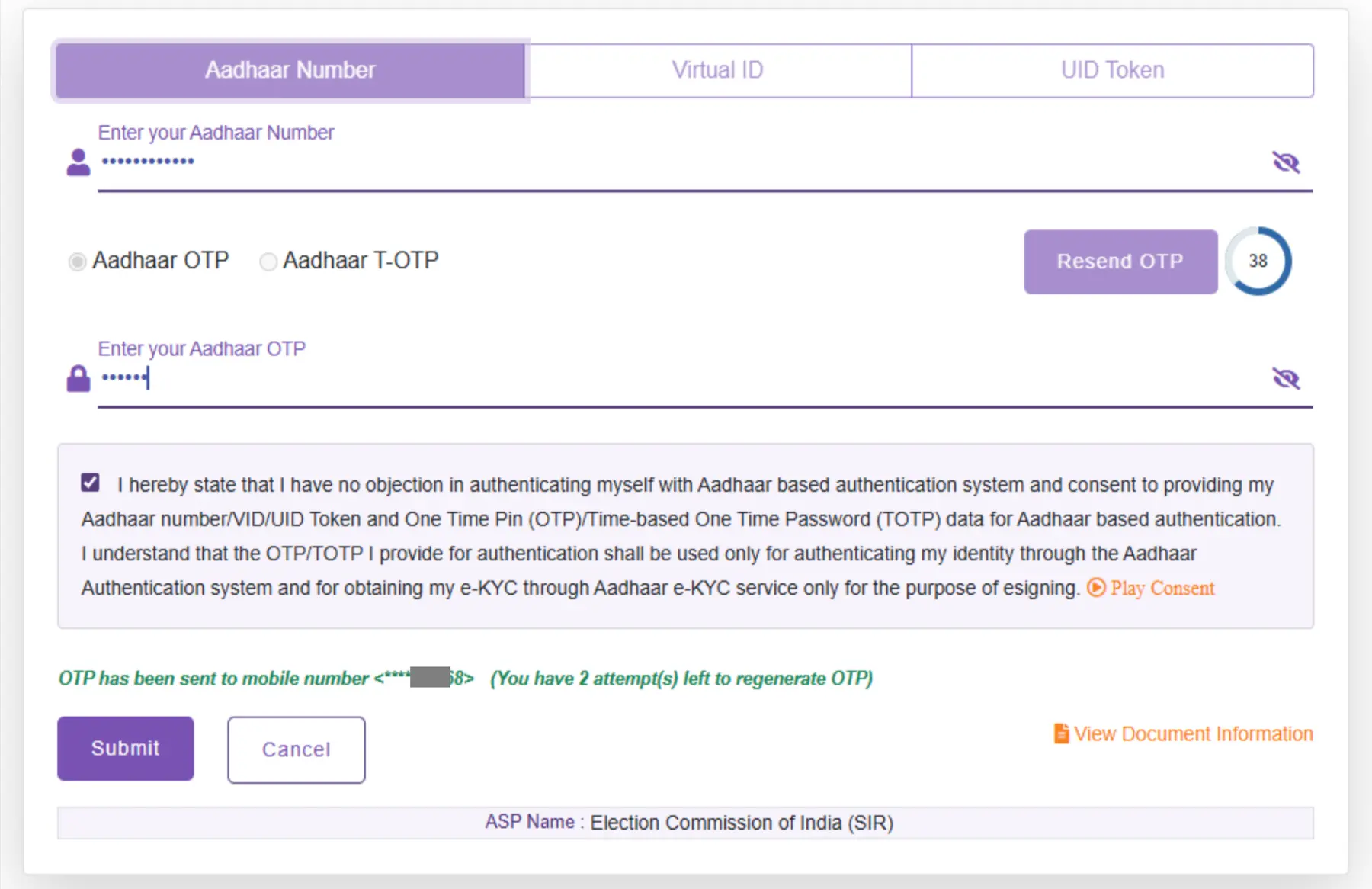
STEP 9: After clicking the "Submit" button, you will be redirected to the Aadhaar e-Sign page. Enter your Aadhaar number and click "Generate OTP". An OTP will be sent to your Aadhaar-linked mobile number. After verifying the OTP, your Enumeration Form will be submitted successfully, and a confirmation screen will be displayed.
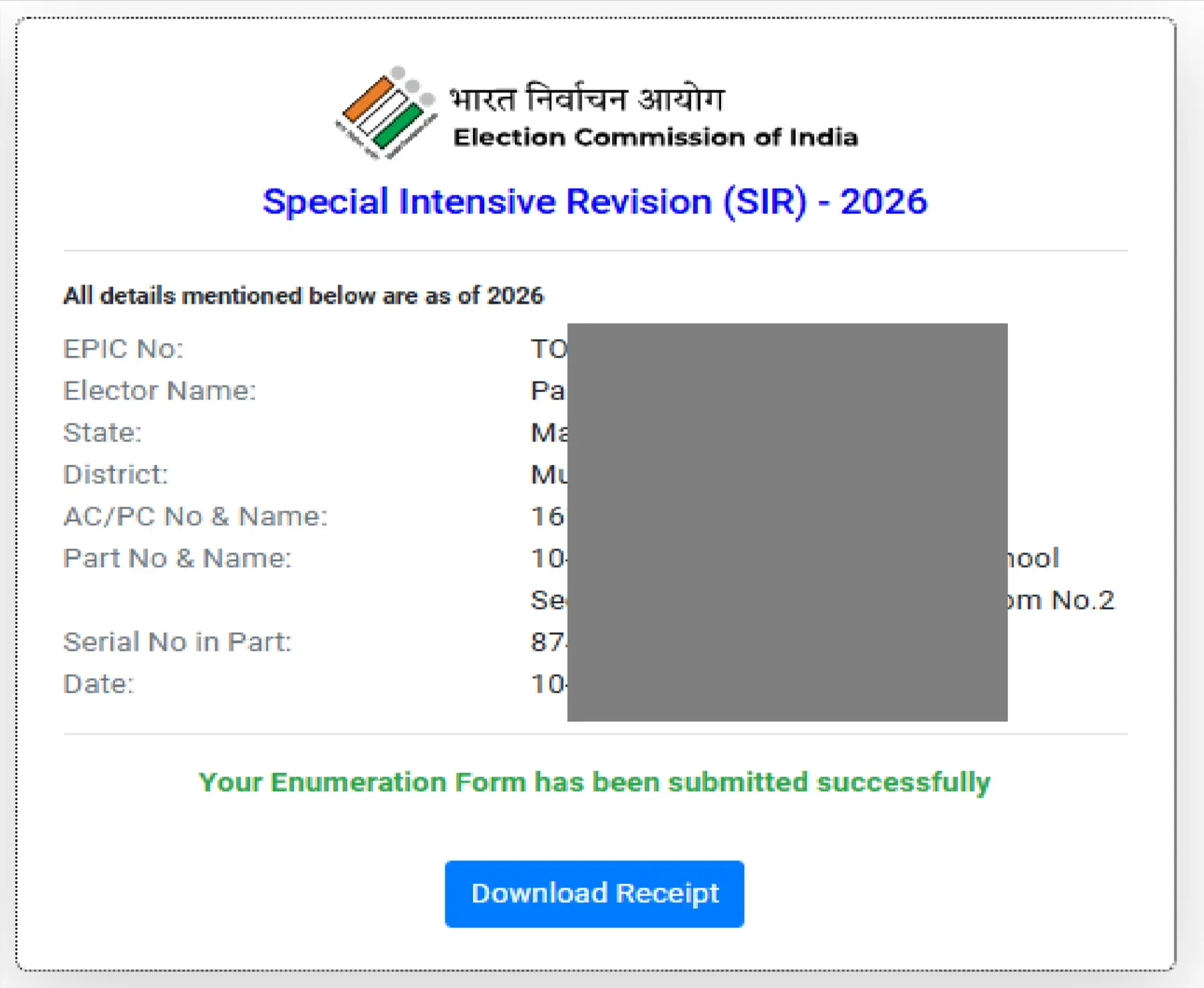
STEP 10: After your Enumeration Form (EF) is submitted successfully, a confirmation receipt with your details will be displayed on the screen. Click the "Download Receipt" button to save it for future reference.
How to Fill SIR Form through BLO
STEP 1:- Your local Booth Level Officer (BLO) will distribute pre-filled or blank enumeration forms directly to your home during the verification window. Alternatively, you can download a clean copy from the official Chief Electoral Officer (CEO) Maharashtra portal.
STEP 2:- SIR (Enumeration) Form has three parts: Part 1 includes EPIC details and photo, Part 2 has family and address details, and Part 3 includes previous SIR details along with the declaration and verification.
Part 1 - EPIC Details and Photo
In this section you have to enter the EPIC number and paste the current photo of voter as shown below image.

Part 2 - Enter Family and Personal Details
In this section you have to the voter DOB, Aadhaar Number, Mobile No, Father & Mother name with EPIC as shown below screenshot.

Part 3 - Previous Details of Last SIR
In this section you have to enter the Details of Elector in Electoral Roll of the last SIR with Details of the Relative, whose name is given in previous column, in the last SIR as shown below image. For this you need Old SIR voter List 2002 Maharashtra

STEP 3:- After that you have to sign or give thumb impression in the declaration section.
STEP 4:- Attached the following required documents with SIR Form
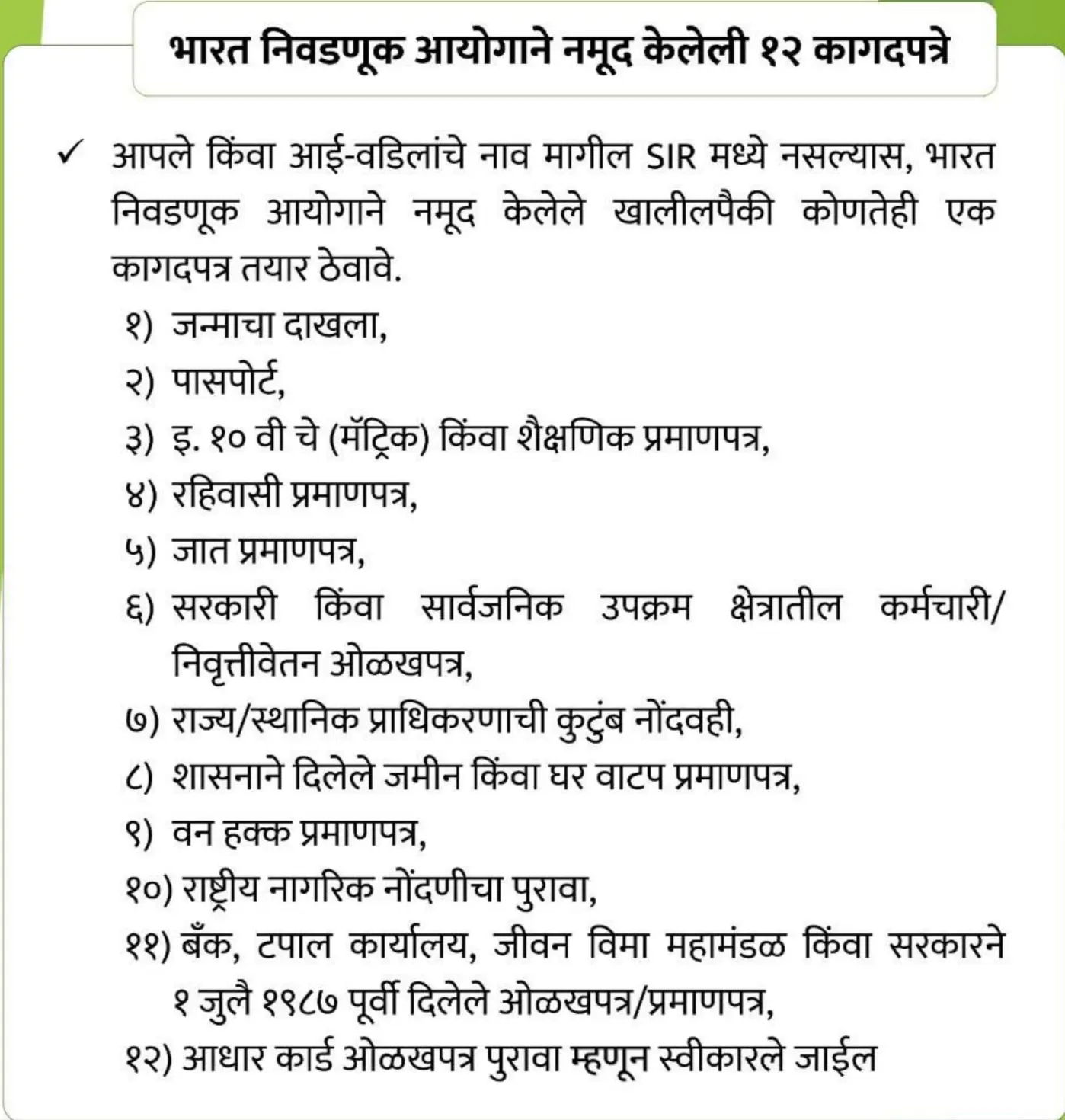
STEP 5:- Now you have to submit this form At the nearest Election Office / ERO office.
Download Maharashtra SIR Form PDF
Maharashtra SIR 2026 Helpdesk Numbers - District-wise
| Name of District | Help Desk Details |
|---|---|
| Ahilyanagar | View Details |
| Akola | View Details |
| Amravati | View Details |
| Beed | View Details |
| Bhandara | View Details |
| Buldhana | View Details |
| Chhatrapati Sambhaji Nagar | View Details |
| Chandrapur | View Details |
| Dharashiv | View Details |
| Dhule | View Details |
| Gondia | View Details |
| Gadchiroli | View Details |
| Hingoli | View Details |
| Jalgaon | View Details |
| Jalna | View Details |
| Kolhapur | View Details |
| Latur | View Details |
| Mumbai City | View Details |
| Mumbai Suburban | View Details |
| Nagpur | View Details |
| Nanded | View Details |
| Nandurbar | View Details |
| Nashik | View Details |
| Palghar | View Details |
| Parbhani | View Details |
| Pune | View Details |
| Raigad | View Details |
| Ratnagiri | View Details |
| Sangli | View Details |
| Satara | View Details |
| Sindhudurg | View Details |
| Solapur | View Details |
| Thane | View Details |
| Wardha | View Details |
| Washim | View Details |
| Yavatmal | View Details |
