
Election Commission of India (ECI) has initiated the Special Intensive Revision (SIR) of the electoral rolls to update voter records across the country. Citizens who have recently turned 18 years old or whose names are not included in the voter list can apply for voter registration online by submitting Form 6 to update name in voter list.
Election Commission added a new section to online Form 6 for voter registration. Applicants now have to state if they or their parents were part of the recent special intensive revision of voter lists. You can see this change on official website. The downloaded form hasn't changed.
Who is Eligible to Apply in 2026?
Under updated ECI guidelines, you don't have to wait until the year ends to apply. You can register if you turn 18 on or before any of these four dates: January 1, April 1, July 1, or October 1.
Process to Fill Form 6 for New Electoral Registration and Voter ID Card
STEP 1: Go to the Voters Citizen Services Portal at voters.eci.gov.in
STEP 2: Click on "Form 6" under New Voter Registration option on the homagepage.

STEP 3: After clicking on that link you have to click on "Sign Up" button

STEP 4: Enter your mobile number and the CAPTCHA code, then click Continue to get an OTP. Enter your first name and the OTP sent to your mobile number. After verification, your User ID will be created successfully.
STEP 6: Once your User ID is created, you can log in to the portal using your mobile number and the OTP sent to your phone.
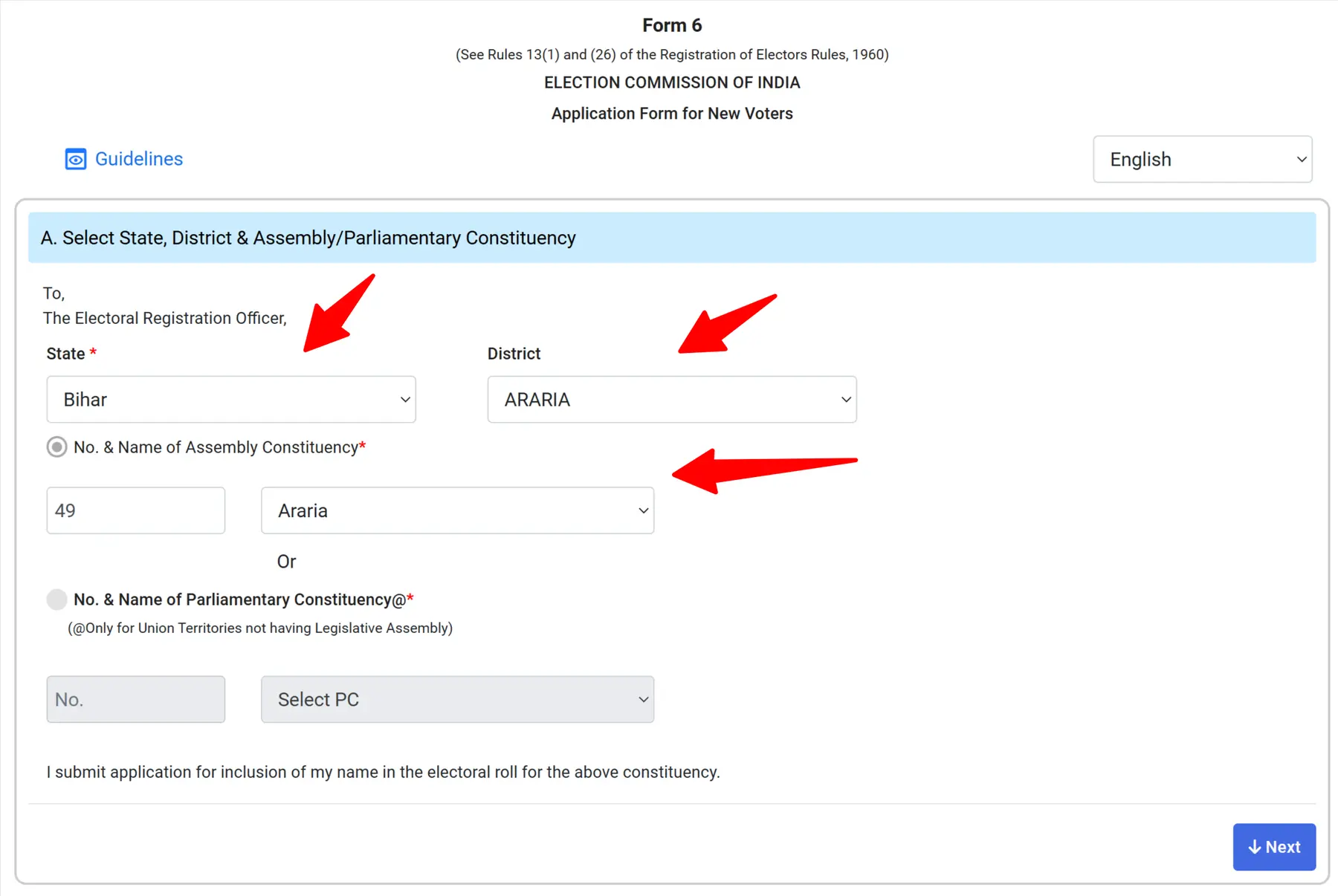
STEP 7: Click on the Form 6 option. Then select your State, District, and Assembly Constituency, and click Next, as shown in the screenshot below.
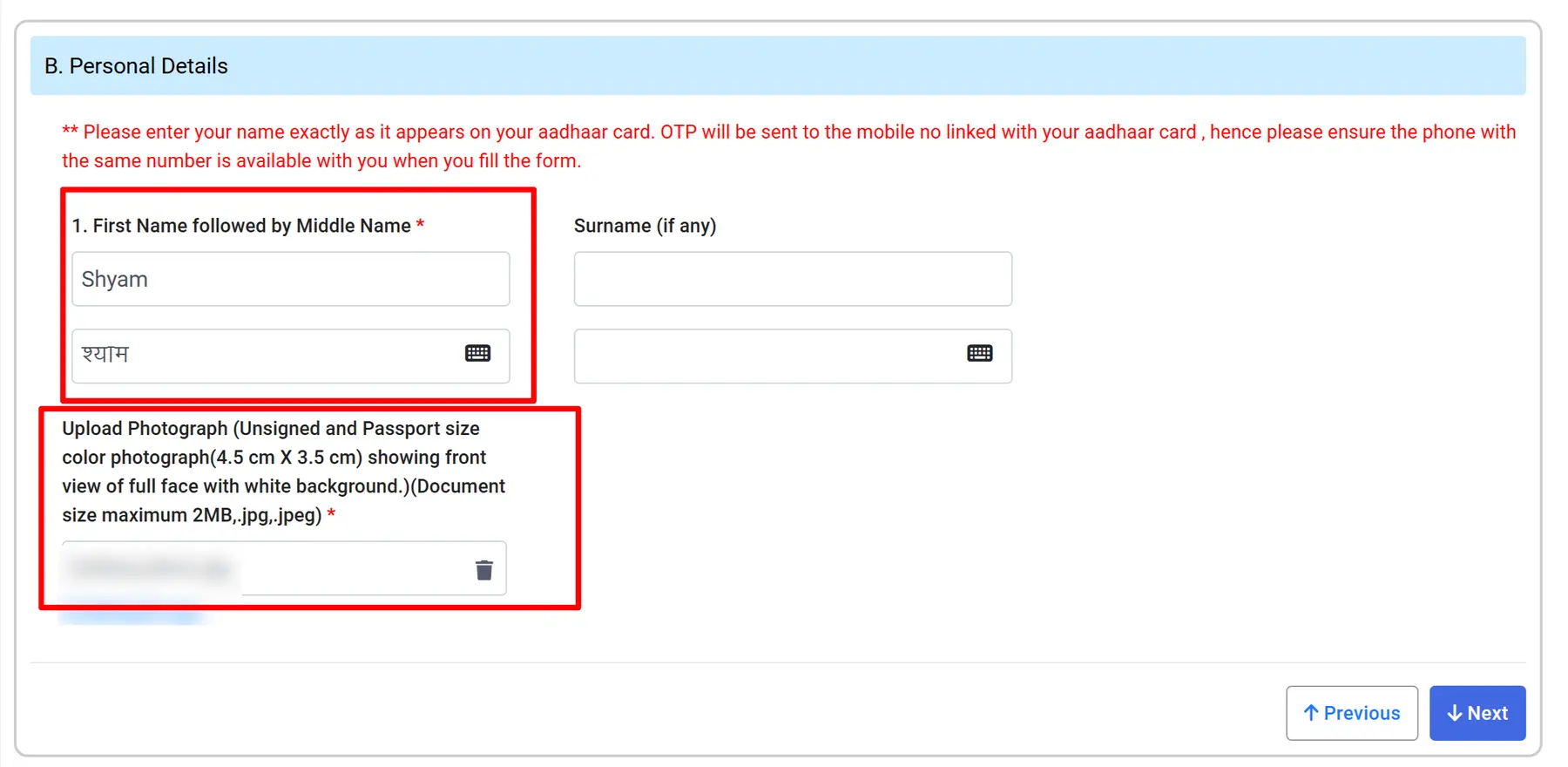
STEP 8: In part B, enter your personal details, including your first name and surname, and upload a passport-size photograph.Then click Next as shown in the image below.
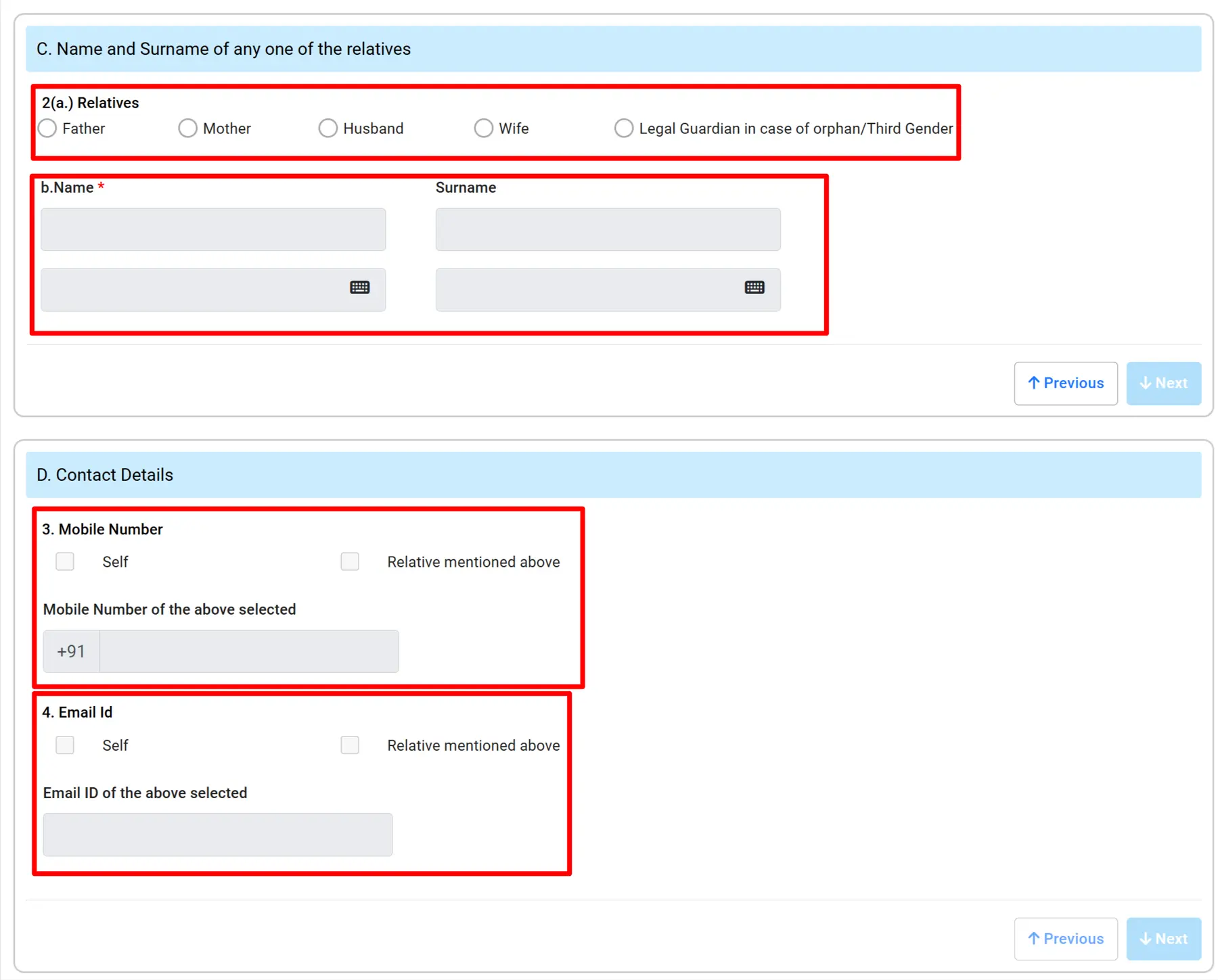
STEP 9: In part C & D, enter your relative's name and relationship, then enter your mobile number and email ID. After that, click Next, as shown in the image below.
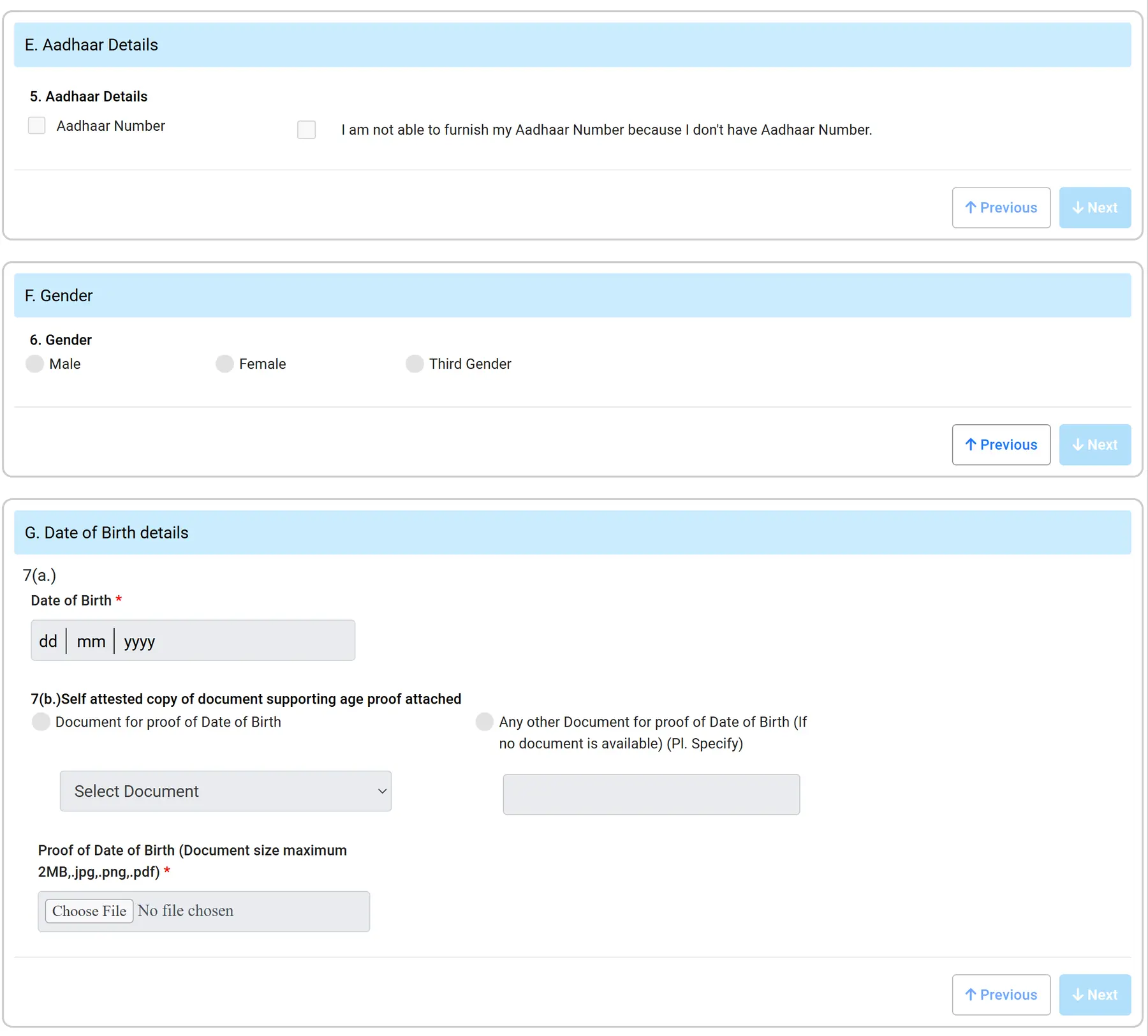
STEP 10: Now enter your Aadhaar number, select your gender, enter your date of birth (DOB), and upload a proof of date of birth. Then click Next, as shown in the image below.
Accepted DOB Proof Documents: Birth Certificate, Aadhaar Card, PAN Card, Indian Passport, Driving License, or 10th Standard Board Certificate.
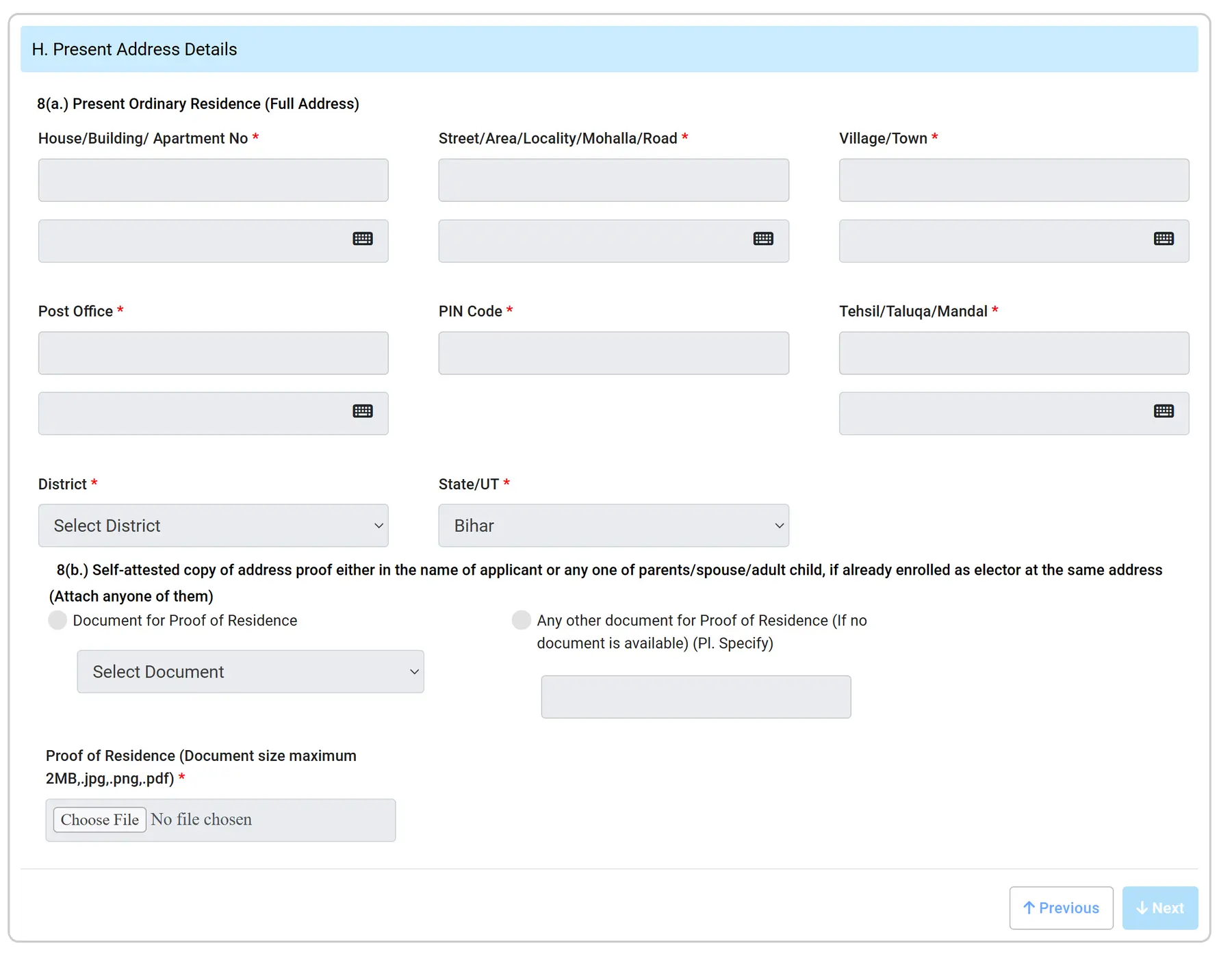
STEP 11: In part H, enter your present address details and upload a proof of address. Then click Next, as shown in the image below.
Accepted Address Proof Documents: Aadhaar Card, Water/Electricity/Gas connection bill (active for at least 1 year), Bank/Post Office Passbook, Indian Passport, or Registered Land Sale/Rent Deed.
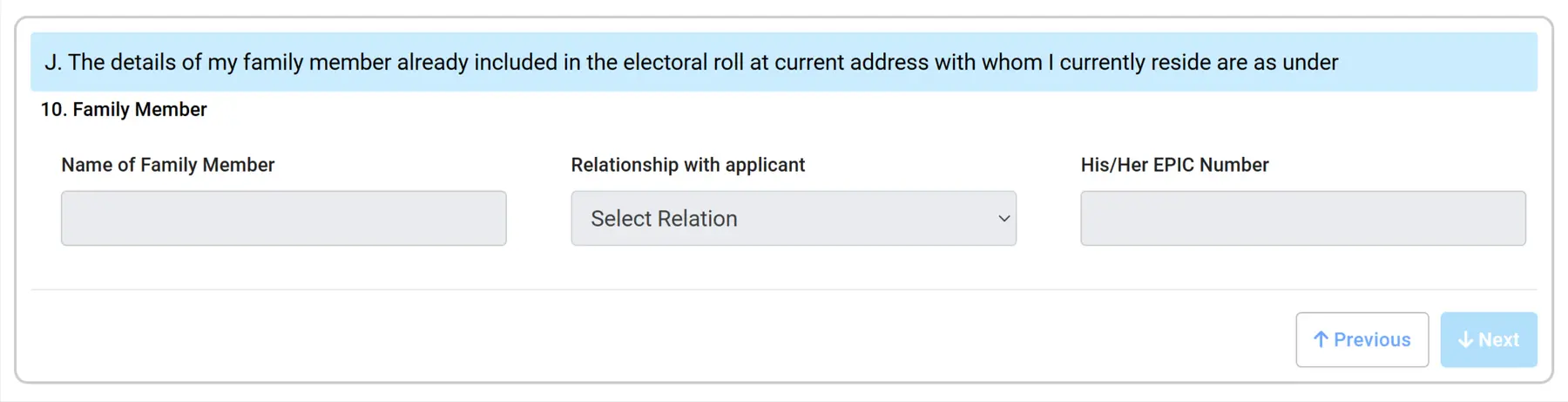
STEP 12: In part J, you have to enter your family member details whose name already included in current electoral roll as show in below image.
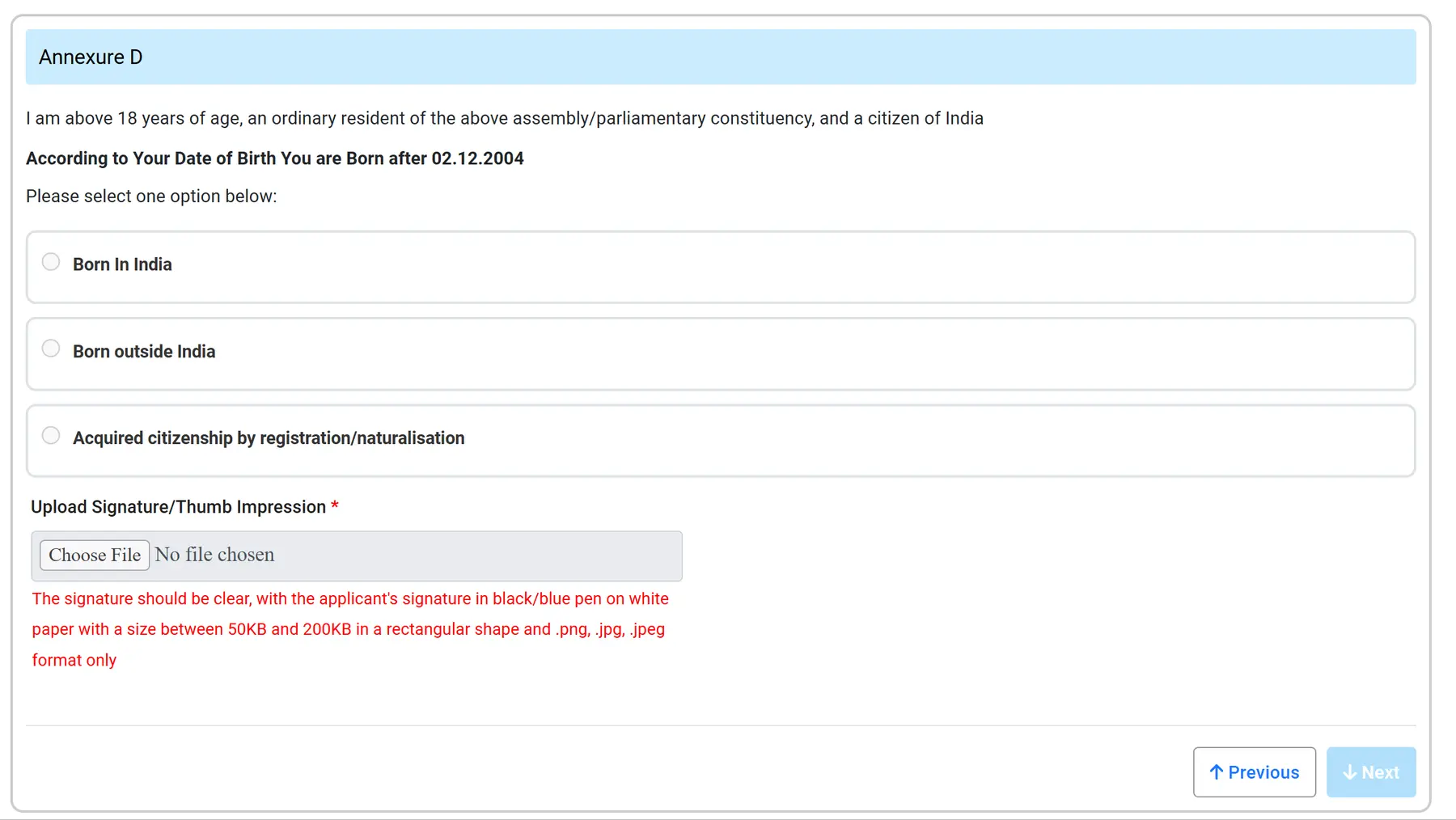
STEP 13: In Annexure D, upload your signature and select whether you were born in India or outside India. Then click Next, as shown in the image below.
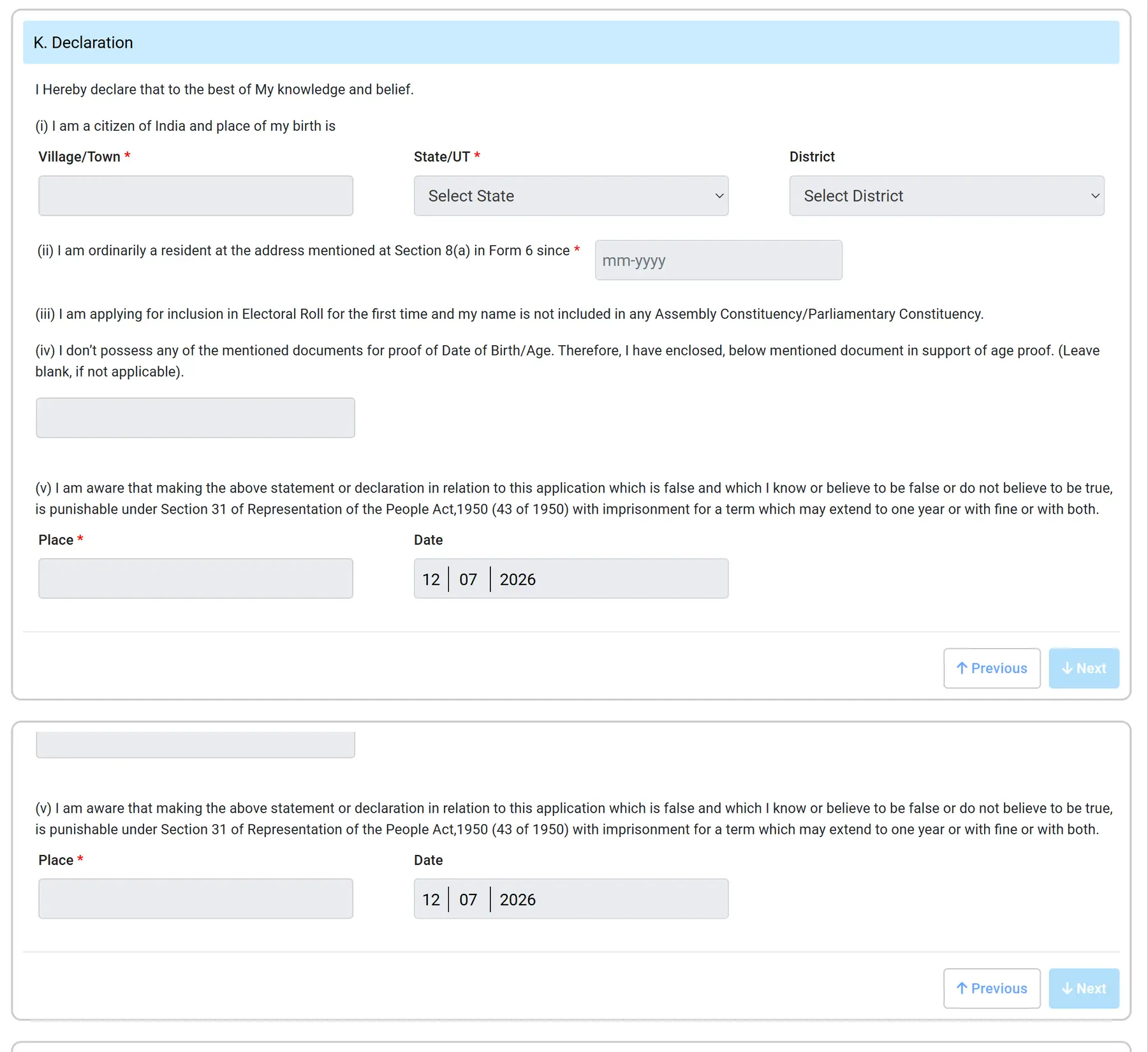
STEP 14: Then fill in the declaration, enter the CAPTCHA code, and click the Submit button, as shown in the image below.
STEP 15: Now verify your Form 6 using your Aadhaar number. Enter your Aadhaar number and click Request OTP. Then enter the OTP sent to your registered mobile number. Once verified, your Form 6 will be submitted successfully, and you will receive a reference number to track your application status.
How to Track Your Form 6 Application Status
- Once submitted, your application undergoes thorough field verification by a local Booth Level Officer (BLO).
- You can easily check the real-time status of your Voter Card by visiting the portal homepage, clicking on "Track Application Status", and entering your unique Reference Number along with your State.
- Your final physical Voter ID card (EPIC) will be dispatched directly to your residential address via secure Speed Post free of charge.
- Alternatively, you can track and apply for the same services on your smartphone using ECI’s official Voter Helpline App.
