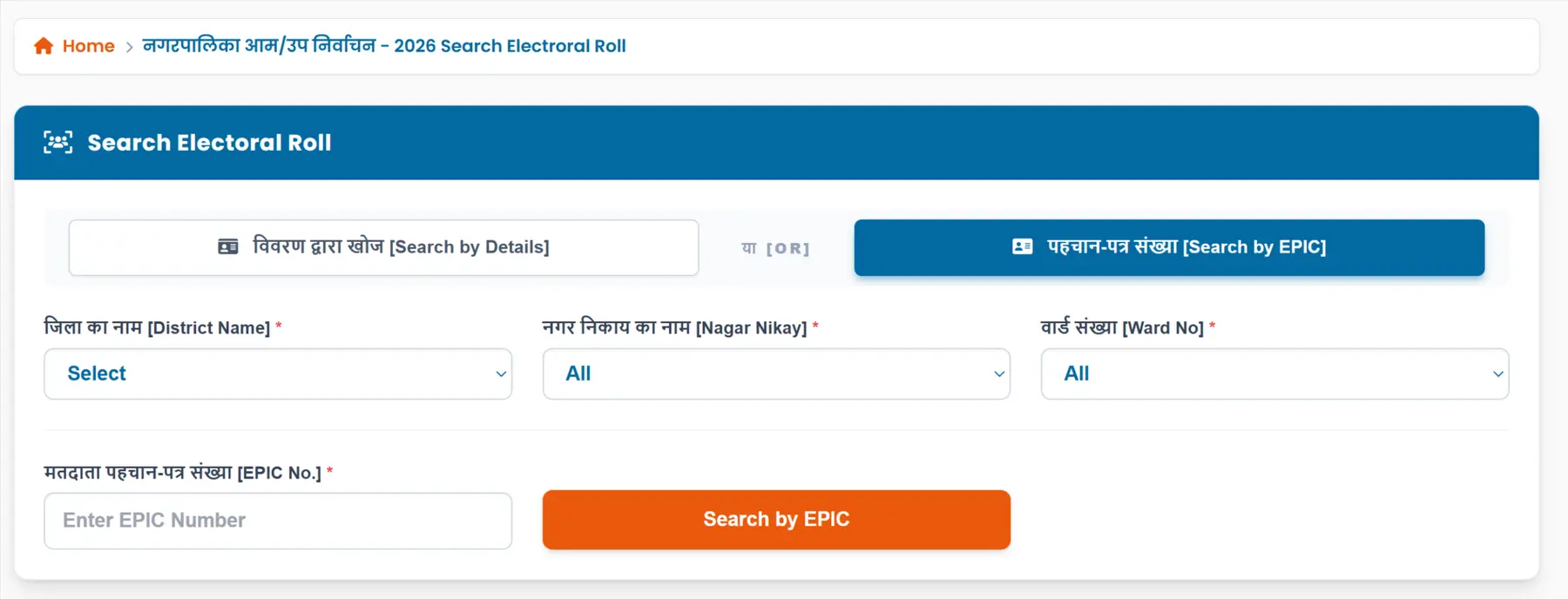
Bihar State Election Commission has released the Bihar Municipal Voter List on its official website, sec.bihar.gov.in. Voters can download the electoral roll PDF and check details such as name, address, EPIC number, ward number, polling station and other important information.
Bihar will hold its pending municipal empowered standing committee elections from May 26 to May 31 to accelerate urban development and improve local governance.
How to Download Bihar Municipal Voter List 2026 PDF from sec.bihar.gov.in
STEP 1: Visit the official Bihar State Election Commission website at sec.bihar.gov.in
STEP 2: On the homepage of the website, click on the link "मतदाता सूची से संबंधित" which is shown under Voter List election menu option as shown in screenshot below.

STEP 3: On the next page, select the "District","Subdivision","Municipality" and click on the Show button then ward-wise list will be displayed as shown below.
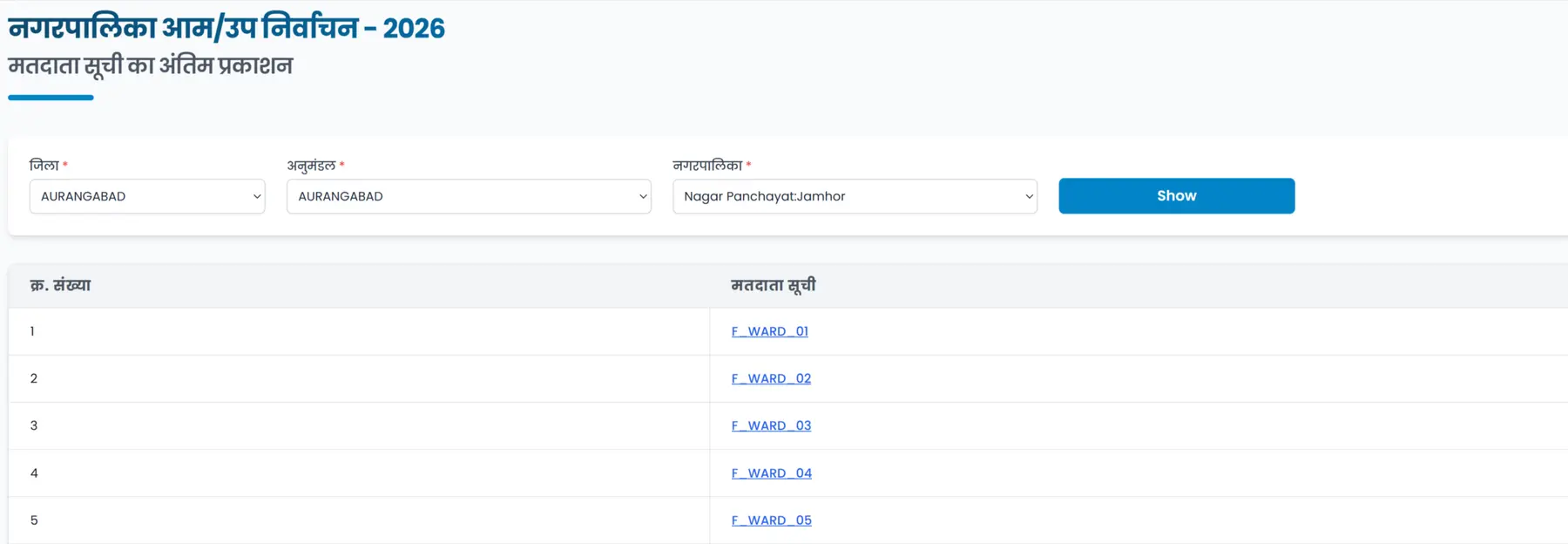
STEP 4: After that, voter list for the selected district, division and ward will open and shown as below image.
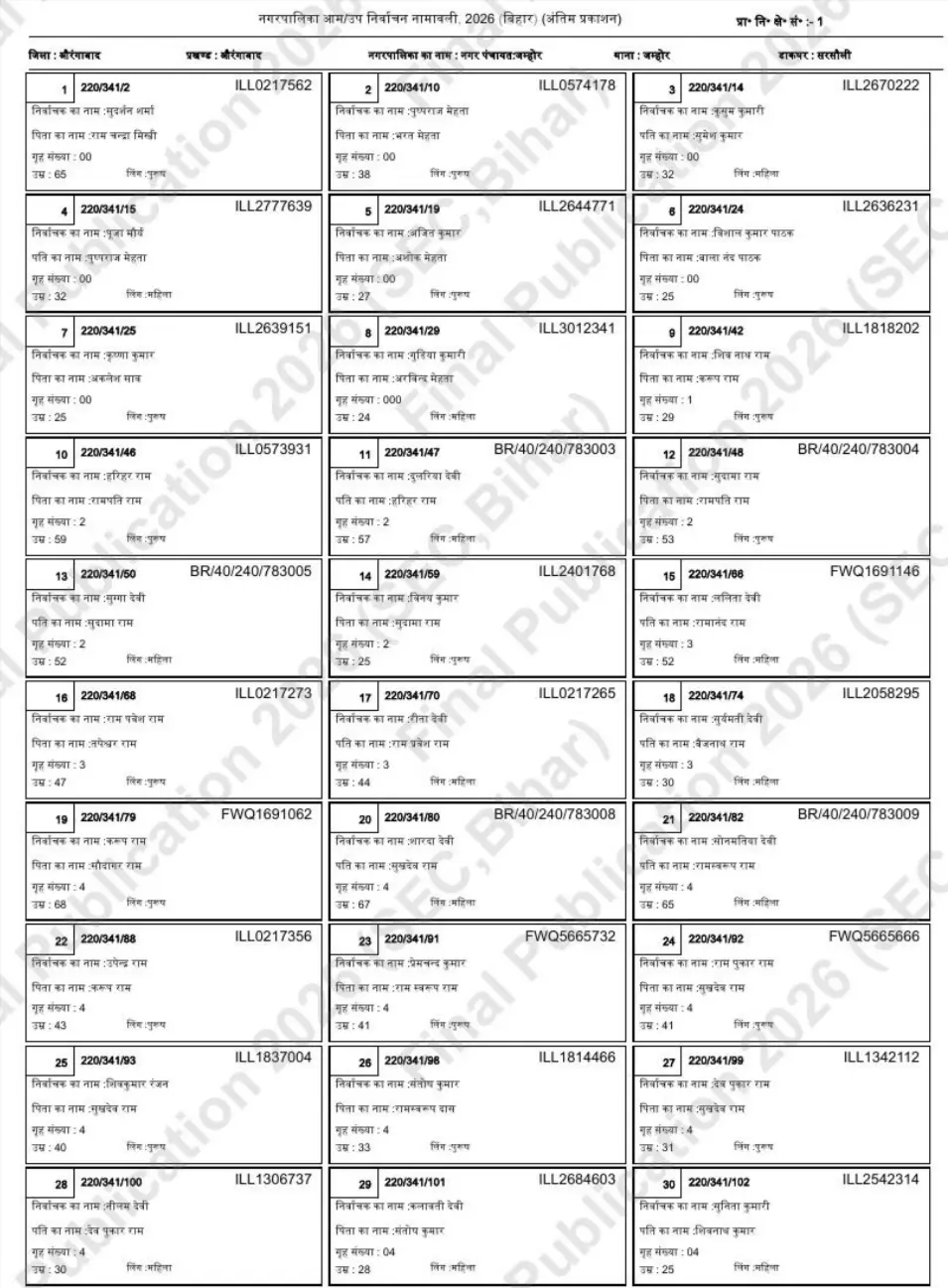
Search Name in Bihar Municipal Election Voter List 2026
STEP 1: Visit the official SEC Bihar website sec.bihar.gov.in.
STEP 2: Now, there are two option to search your name in voter list, by Details and by EPIC number.
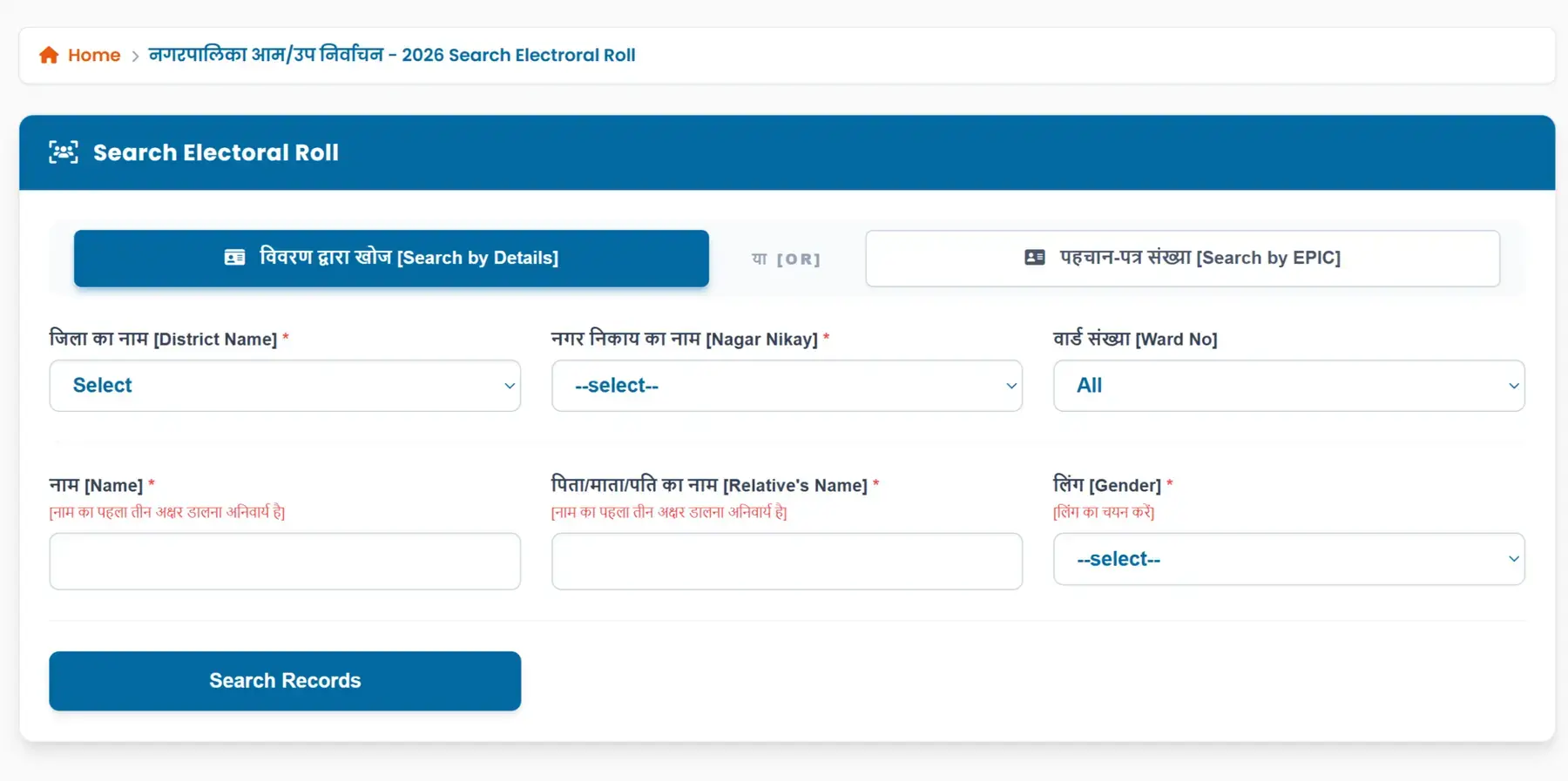
STEP 3: Search by Details - Select the "District", "Nagar Nikay", and "Ward No", then entering the "Name", "Relative Name", and "Gender". After that, click on "Search Records" as shown in the image below.
STEP 4: Search by EPIC No - In that case, you have to select "District","Nagar Nikay","Ward No" and enter the EPIC number as shown in below image.